AI will be your only UI
by John Robinson @johnrobinsn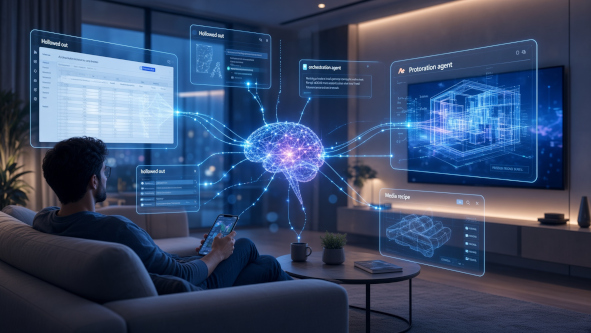
The inflection point #
We're fast approaching an inflection point where every user interaction with a computer will be filtered, preprocessed, and augmented by an artificial intelligent agent.
You can already see the erosion with coding agents. It's been at least six months since I typed a git command into a terminal, despite committing code, opening PRs, and doing reviews daily. There's no longer any reason to learn the arcane incantations of the git CLI — your coding agent already gits better than you ever will. The same goes for just about every other Unix shell tool.
You only need to be able to communicate what you want to do in natural language and all of the tools that you had to know before (sed, ffmpeg, find, grep, awk, curl and python just to name a few) are no longer relevant. Even if none of these tools are available the coding agents will spin up a bespoke tool in python or other high level language to fill in the gap (just in time).
But it won't stop with the terminal. This will expand until it eats every other user interface we have.
Applications get hollowed out #
Most applications will get hollowed out and flipped inside out. Applications-as-destinations will cease to exist over time. You no longer go to Excel to do a specific task. That's not to say a spreadsheet-like interface won't be surfaced on demand — if that's the best way to communicate intent at that moment, it appears. But you don't launch it, you don't live in it, and you don't learn its menus or command-line switches. The best modality for your communication needs will be formulated just in time and on demand to your preferences and requirements.
Your interactions will be about the data and what you want to do with it — not about the tools themselves. The tools blend together and emerge when you need them, in the form you need them.
Do you really need to learn the complexities of photoshop or ffmpeg. You'd rather be able say you want to do something and have the most effective control plane for that task materialize. You'll still want user interaction patterns to feel familiar and recognizable, but at the same time you want it brought to the surface ready for you to provide your input effectively and efficiently.
Abstraction is the bandwidth trick #
Here's why this works, and why voice-first, LLM-mediated interaction feels shockingly effective the moment you try it.
Bandwidth between two humans — or between a human and an agent — is always constrained. You can only say so many words per minute; you can only type so fast. Given that constraint, the way you transmit a lot of meaning quickly is shared abstraction. When you talk to a domain expert, you can hand-wave at a concept — "just do the standard rollout thing, but stage it" — and they fill in an enormous amount of detail from their compressed experience. All of their experience, good and bad, is encoded behind those shorthand concepts. Two novices trying to communicate the same idea would take an hour and still get half of it wrong.
This is exactly what makes voice conversations with an LLM so effective. You can talk about something in loose product terms, without over-specifying, and communicate a huge amount of information in a few sentences. The model decompresses your shorthand into concrete action. You then spend your attention on the deltas — the specific details that weren't captured in that lossy exchange, the places where the model's default assumption doesn't match what you actually meant.
This is a fundamentally different loop than clicking through a UI. A UI forces you to specify every step in the vocabulary the UI designer chose. An agent lets you specify only what makes your situation different from the default, and inherit the rest for free.
The interface becomes elastic #
The "only UI" isn't a chat box. Chat is just the current lowest-common-denominator surface, the way the command line was in 1985.
The real endpoint is a modality-adaptive agent, where each modality earns its place by serving a bandwidth need the others can't:
- Voice — the highest-bandwidth channel for abstract intent flowing from your head into the model. Language is the abstract layer; speaking it is the fastest way to transmit it.
- Screen sharing — the fastest way to hand the model your desktop state without narrating it word by word.
- Video — the fastest way to hand the model a complex process or artifact you want it to reason about ("watch this and tell me how to fix it").
- Camera and computer vision — the fastest way to hand the model the physical world state ("look at what I'm doing and tell me what's wrong").
- Generated screens, widgets, spreadsheet-shaped views — the fastest way for the model to hand information back to you, in whichever form fits.
The rule isn't "always use the highest-bandwidth channel." The rule is "use the highest-bandwidth channel appropriate to the circumstances at hand." Voice is silent when you're in a meeting. Screen sharing is unusable when you're driving. Camera is impolite in company. The interface reads your circumstances — where you are, what device is at hand, who's with you, what the moment affords — and adapts. Two different people asking for the same thing get two different interfaces. So does the same person in two different rooms.
Vibr8 is my bet #
None of this is fully here yet. Vibr8 (pronounced vibrate) is my early bet on the shape of it — a single interaction surface built around what you actually want to do, rather than around any particular tool.
The core principle is untethered from your desk. Your phone is the always-with-you connected node — always in your pocket, always available, always the primary way in. Everything else is optional. Second screens exist as bandwidth amplifiers — the TV in the living room, the browser in the car, the tablet on the counter — and they show up when the situation warrants a higher-bandwidth view. Phone alone is complete; the rest is upside.
The architecture is four pieces: chat interface → orchestrator → dispatched specialist agents → paired displays. The front door is deliberately familiar: a text-chat interface in a browser, which I use mostly from my phone and sometimes from a desktop. Behind that chat is an orchestration agent — and this is where the piece connects back to the git example above. You don't talk to the coding agent directly, any more than you talk to the git CLI directly. You talk to the orchestrator, and it dispatches to coding agents and other specialist agents underneath it. Two-way voice is wired in as a first-class interaction pattern, not bolted on top of the chat UI, so the same orchestrator can be driven by either text or voice depending on what the moment allows.
When something is better seen than described, Vibr8 pushes rich content to a paired second-screen device — the TV in the living room, the integrated browser in my Tesla, whichever display is closest to the situation. You don't launch a browser to look up a recipe; you ask from the kitchen, and the recipe lands on the screen you're already standing in front of.
The interesting moments are the mid-conversation handoffs. You describe something by voice; the orchestrator realizes it needs to see what you're seeing and asks you to point your camera. You start on your phone in the car; a display in the room takes over when you arrive home. The interaction slides between modalities without you having to decide.
It's early days. The pieces that make this a true "only UI" — persistent identity across rooms and devices, generated interfaces on demand, tools materializing exactly when you need them — are being built out one at a time. But the loop is already good enough to feel inevitable. Spend a week talking to the room, and to the orchestrator on your phone, instead of tapping through apps, and the old model starts to look strange.
And this is only the consumer side of what an orchestrator makes possible. The same underlying axioms — voice as bandwidth-efficient for abstract intent, attention as the ultimate scarcity, and the choreography of the exchanges themselves — apply just as sharply on the producer side. Next up: how these ideas reframe what a "software factory" can actually look like — new capability against an old constraint that never went away.
Get updates like this. Occasional, low-cadence, real-news-only.
Follow along at storminthecastle.com — or if you're building in this space, reply.
Share on Twitter | Discuss on Twitter
John Robinson © 2022-2026