VoiceDroid - A Fast, Voice-Driven Computer-Use Agent for Your Phone
by John Robinson @johnrobinsn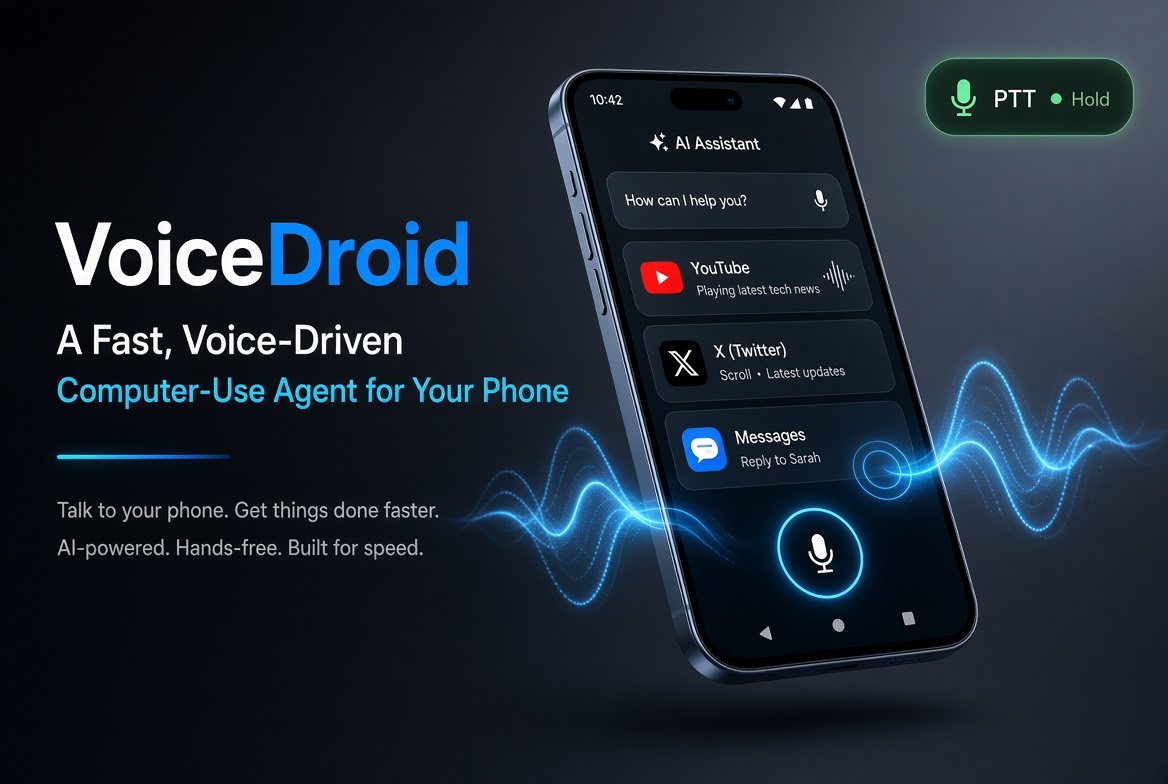
I've been building VoiceDroid — a native Android app that lets you operate your phone entirely by voice. Not the canned "set a timer" kind of voice control. I mean actually using apps: opening things by name, scrolling feeds, tapping buttons, typing into fields, having content read back to you. Hands-free, eyes-free, works across any app on the phone.
It's essentially a "computer-use" agent, but for a phone, and driven by voice instead of a text prompt.
Full disclosure: I wrote about 80% of it by voice too — talking to my phone while a system I'm building called vibr8 ran the actual coding agents on a computer at my home. More on that at the end.
The Loop #
Under the hood it's the usual computer-use shape, tightened for real-time voice:
- You speak. Audio streams over WebRTC (Opus codec) into OpenAI's Realtime API — the same low-latency, full-duplex pipeline behind ChatGPT's voice mode.
- The model decides what to do.
gpt-realtime-2hears the request, chooses from a small set of phone-control tools (launch app, take a screenshot, zoom into a region, tap at pixel coordinates, scroll, type, read the screen…), and calls them. - The phone acts. VoiceDroid dispatches those tool calls through Android's AccessibilityService — the same OS-level API that powers TalkBack. It can synthesize touches, scrolls, and keystrokes across any app.
- The model gets feedback and replies. After each action it can look at a fresh screenshot or read screen text, decide whether the goal is achieved, chain the next step, and speak a short natural confirmation ("liked it," "climate off," "done").
The whole loop takes about a second per turn. It feels less like giving commands to a phone and more like talking to a smart assistant who happens to be operating it for you.
What Actually Works #
Real commands that work today, no per-app integration:
- "Open YouTube and search for lo-fi beats"
- "Read me what's on the screen"
- "Scroll down" / "Go home" / "Go back"
- "Open the conversation with Sarah and type: on my way, be there in ten"
- "Like this post" (in X)
- "Pause the video" (in YouTube — models the universal center-tap gesture when the control has auto-faded)
- "Turn off climate" (in the Tesla app)
Two Hard Problems #
Two things bit me early and shaped the design.
1. Android accessibility trees are often unreliable #
The obvious way to find and tap a button is to look at Android's accessibility tree — a structured list of every UI element the app exposes to screen readers, with their bounds and labels. If a button says "Like," you can just find the node with text "Like" and tap its center.
That's what I did first. It works in ~half the apps.
The other half is a mess:
- X (Twitter) renders the whole action row of a tweet — heart, reply, repost, bookmark, share — as a single non-clickable composite view with a giant aggregated
content-description. The individual icons don't appear as nodes at all. From accessibility's perspective, the heart doesn't exist. - Jetpack Compose apps sometimes report phantom nodes with inverted bounds — bounding rectangles where the top edge is below the bottom edge. Our naive "prefer smallest node" tiebreak actually picked those first (negative area beat every positive area), and taps landed in random places.
- Compose touch targets frequently extend well below the visible element (48-dp minimum target padding). A geometric-center tap sits at the bottom edge of the visible pill instead of its center.
In short: you cannot rely on Android's accessibility tree as your primary UI-grounding mechanism, because a huge amount of consumer software either uses it badly or deliberately obscures it.
2. Real-time vision models can't emit precise pixel coordinates #
The obvious alternative is: send the model a screenshot, ask "where is the heart," and have it emit (x, y).
gpt-realtime-2 can definitely see the heart. It'll happily narrate "I'll tap the heart icon below the post…" But when it emits pixel coordinates, they're often hundreds of pixels off on a 2340-px-tall phone screen. The vision encoder tiles and downsamples the image internally, and the model regresses coordinates in a fuzzy space. Perception is fine; coordinate emission is the weak link. This is a well-known limitation of GPT-4-family vision, and no amount of turning up JPEG quality or setting detail: "high" fixes it materially.
The Fix: Vision-First with Iterative Zoom #
The trick — cribbed from a couple of recent GUI-grounding papers (ZoomClick, UI-Zoomer) — is to let the model crop-and-refine. The tool schema I ended up with:
zoom_region(x1, y1, x2, y2)
  → returns a high-detail cropped screenshot + crop origin + dimensions
The rules baked into the system prompt:
- Take a full-screen
screenshot. - If the target is small, dense, or ambiguous — call
zoom_regionaround the candidate area to get a closer look. - Repeat, shrinking the viewport by ~half each iteration, up to three times, until the target occupies at least ~20% of the crop's shorter side.
- Emit
tap_xyin original screen coordinates (we tell the model to addcrop_x + crop_yto any position it reads from the crop). - Only fall back to accessibility-tree matching (
tap_text,tap_near_text) if the vision path can't find the target.
That reordering — from "AX-tree first, vision as fallback" to "vision first, AX-tree as fallback" — plus the zoom tool has been the biggest single quality improvement in the project.
Other Features #
- Three modes. Off releases the mic entirely. Listening streams continuously — great for hands-free use, ~$1/hr in API tokens. PTT keeps the session connected but the mic stays muted until you tap a small floating bubble overlay that lives across every app. The bubble is dark grey when idle, green when listening, blue-ring pulsing when the model is speaking back.
- Custom system prompts. A prompt manager UI lets you keep multiple named prompts, swap the active one with a tap, and the change takes effect live mid-session with no restart. A couple are shipped built-in (a plain default and a more aggressive goal-directed variant); custom ones are one screen to add.
- Voice picker. Switch between the realtime model's voices — marin, alloy, sage, verse, and friends — without leaving the app.
- Auto-off after an hour. Safety net so an unattended session doesn't quietly burn tokens overnight.
- Debug recorder. Every tap, zoom, and screenshot is auto-saved to app-external storage with a JSON sidecar (dimensions, coordinates, active app, what you said, what the model said). Pull it with
adb pullwhen something goes sideways. - Audio routing. Bluetooth headset takes priority, then wired, then falls back to the phone's loudspeaker — not the call earpiece. The whole point is hands-free; holding the phone to your ear defeats it.
Setup #
You'll need:
- An OpenAI API key with Realtime API access. Bring your own — the key is stored in encrypted shared preferences on the device (AES-256-GCM with a hardware-backed master key) and only ever sent to
api.openai.com. - Android 10 or newer (API 29+).
- Four permissions, granted once at first run:
- Microphone — obviously.
- Notifications — the foreground-service notification is what keeps Android from killing the session.
- Accessibility service — the only way to actually tap, scroll, type, take screenshots, and read UI from the background across other apps.
- Display over other apps — for the floating PTT bubble.
Then paste your API key in the OpenAI config card, pick a voice, and choose a mode.
Sideload Only #
VoiceDroid isn't on the Play Store. It's sideload-only. The APK for each release is attached to the corresponding GitHub Release page — download it, install with adb install -r <apk>, or transfer it to the phone and tap. It's signed with the debug keystore so it installs without further setup.
Source and releases: github.com/johnrobinsn/voice-droid
What's Next #
The current system handles single commands very well and is starting to handle multi-step goals (the shipped Goal Directed Loop prompt encourages the model to re-evaluate after each action and keep going until done). The next frontier is smoother agentic loops — "open X and read me today's posts" where it scrolls, reads, scrolls, reads, and you just listen; interrupt with "retweet that one" and it handles it, then resumes.
Beyond that: app-specific "skills" (curated instructions for common apps), a specialized UI-grounding model in the loop for even better click accuracy.
The building blocks are all there. It's already the closest thing to a general-purpose voice-driven phone I've ever used — and it's just built on public APIs.
How This Was Built (with vibr8) #
I wrote about 80% of voice-droid by voice — not typing at a keyboard,
but talking to my phone using my modality-elastic agentic harness called vibr8 (pronounced vibrate) that supports two way voice as a first class modality. It can intelligently coordinate any number of coding session with a single voice conversation and if you want to read or see something directly you can just pull your phone out of your pocket to take a look at the screen or ask it to show you something on just about any screen (second screen) you happen to have handy. And if you'd rather type, it supports fully text chat synchronized with the voice interactions
Voice-droid is what happens when you point that setup at a real
project. Not a toy demo — a real Android app with WebRTC, an
Accessibility service, cost accounting, encrypted key storage, three
modes, custom system prompts, and enough shipped functionality to
actually use daily. Most of the harder architectural decisions
(WebRTC vs. WebSocket transport, PTT bubble behavior, VAD threshold
defaults, even the vision-first-with-zoom insight above) got worked
out in voice conversations with agents while I was doing other things
— walking, driving, cooking.
Vibr8 itself will get its own writeup soon. What voice-droid
demonstrates in the meantime: you can build real software this way
today, not eventually. The habit of "have to be at a keyboard to do
dev work" is a habit, not a constraint. Voice-driven dev on your own
compute, with agents you choose, is possible right now with tools
that already exist plus some orchestration glue.
More on vibr8 soon.
Share on Twitter | Discuss on Twitter
John Robinson © 2022-2026